Inquiry – A Game of Nighttime Daytime
I simply cannot have lights turn off and on without thinking of this ridiculous bird.
It has had a chokehold on me for well over a decade and I fear I will be quoting “Nighttime… DAYTIME” on my death bed. So of course, when I am building a device that checks whether the light is on or off, I had to pay homage to this bird.
Physical Setup
I considered setting up an external LED and building a nightlight (LED turns on when light is sufficiently low) but I am a glutton for punishment so of course I had to go big and try a Text LCD screen. Setting up the screen was a little more complex than the light sensor…
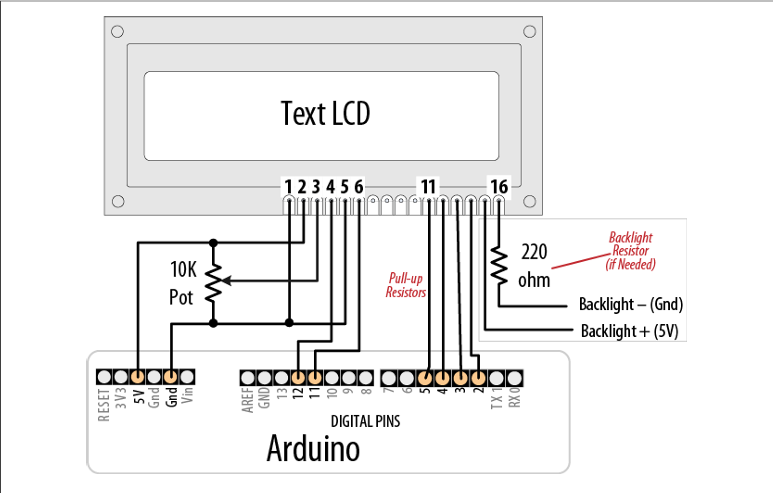
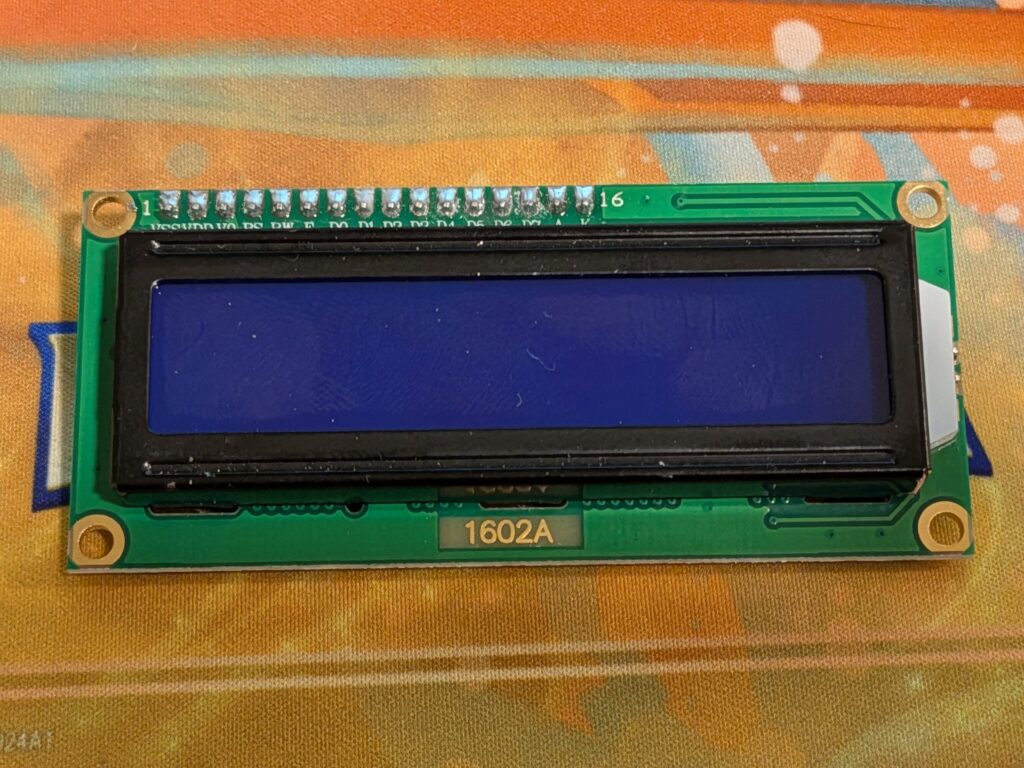
The LCD screen has 16 pins so I definitely had to use the breadboard again. I did try it initially without the Backlight Resistor connections but when I got no response from the screen, I ended up plugging those in too.
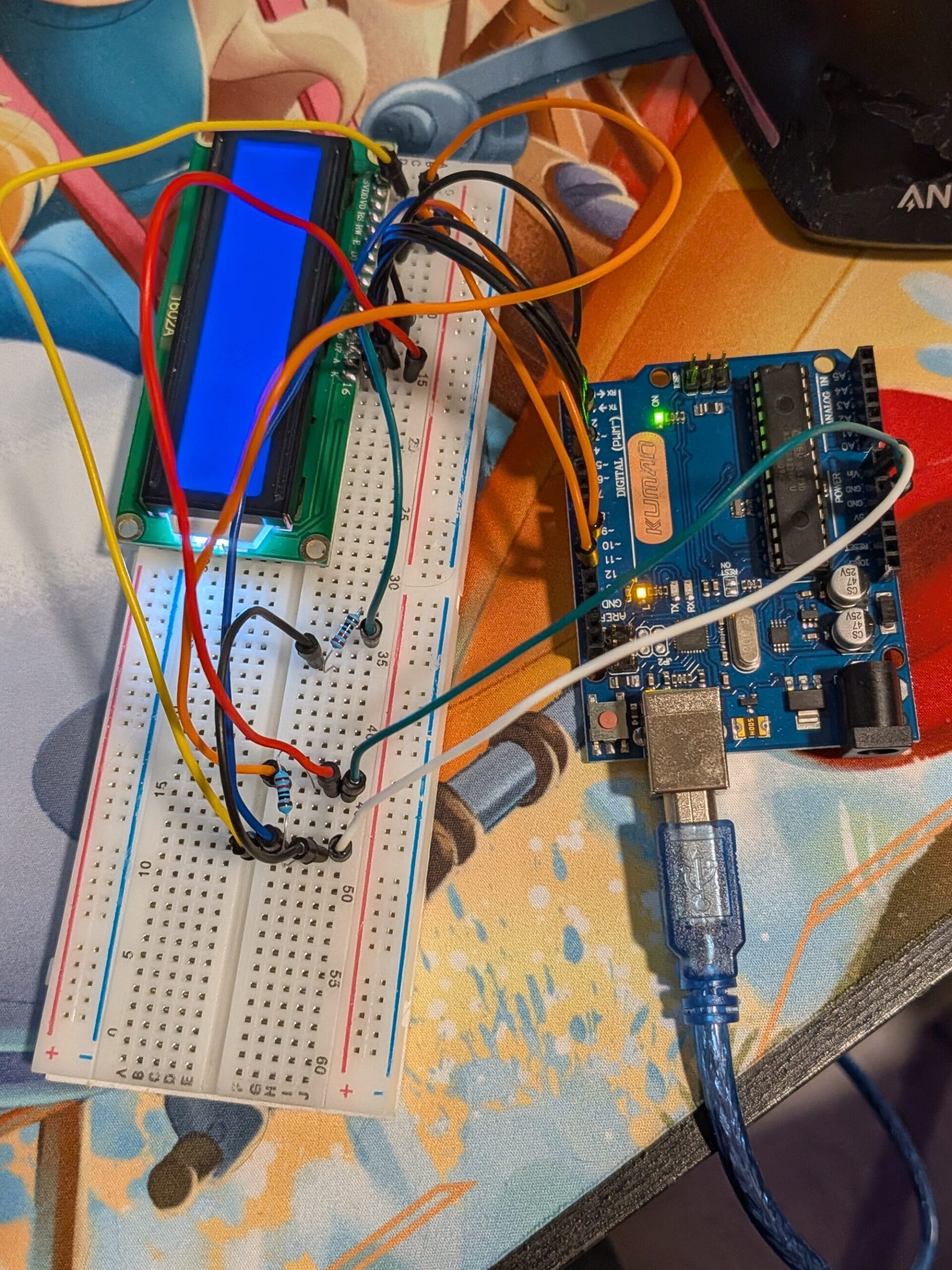
The screen plugged snuggly into the breadboard and after some unsavory words directed at the rat’s nest of wires I had to create, I hade a lit up screen!
Software Setup
Unlike the physical set up, the LCD screen sketch was surprisingly simple. Arduino has helpful libraries that are preloaded into the IDE so, like in Python, you just have to call on those libraries.
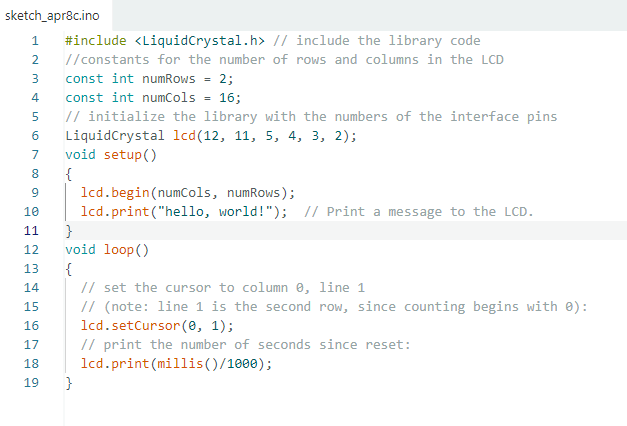
I uploaded this but unfortunately no words showed up. I double and triple checked the code to make sure there was nothing missing like in previous code provided in the instruction guide, but everything seemed to look correct. Then I remembered there had been a wire connection I hadn’t understood in the diagram.
Troubleshooting
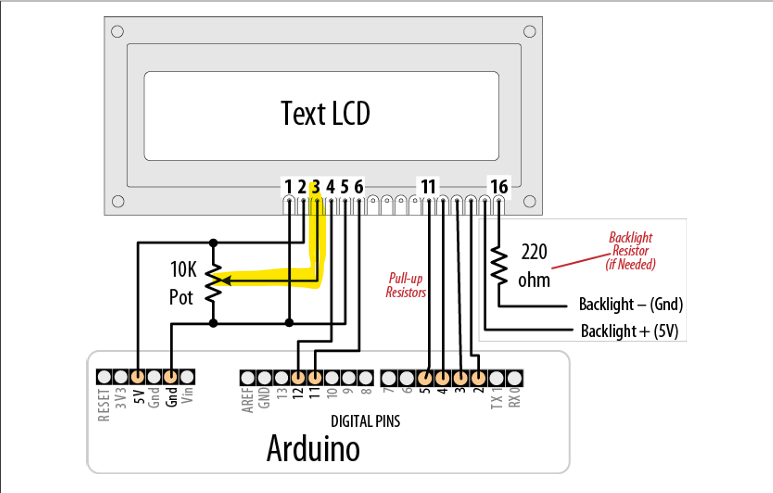
Pin 3 is somehow supposed to intersect into the middle of the resistor. After some experimenting with holding the wire up against the side of the resistor, I discovered I could just plug it into the same slot on the breadboard.
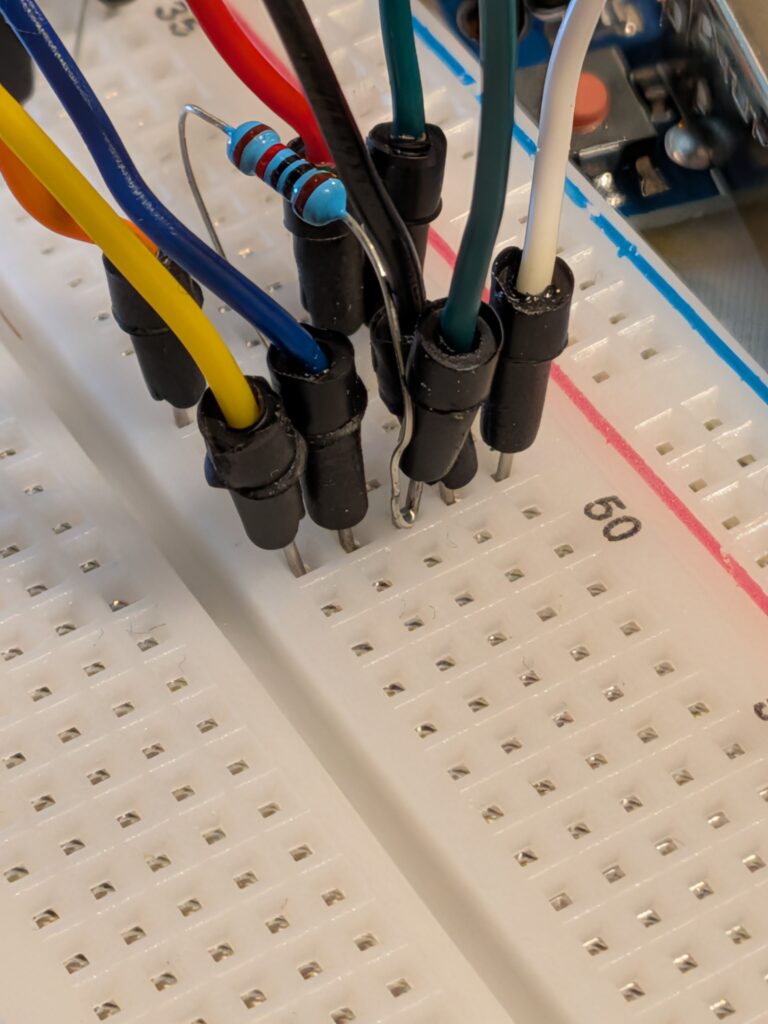
From there, I was able to move on to a game of Nighttime Daytime!
Progress!!
I went back to my light detecting IDE sketch and pulled out some select pieces of code that I would need to bring over. However, I knew I would need an “If” statement to change between Nighttime and Daytime unlike in the light detecting sketch which had a moving variable using the map function. Arduino has an incredibly robust online database. I at first found the if Statement guide. Unfortunately, my brain was stuck in Excel mode and I forgot that in most coding languages you also need an ELSE statement. Back in the Arduino Docs, I was able to quickly move over to the if Statement (Conditional Statement) guide. With this info, I was able to return to my sketch and add in the conditional modifier so that if the light sensor was reading above 300 (still not sure what it’s actually measuring in…), then the screen would read “Daytime.” If not, it would read “Nighttime.”
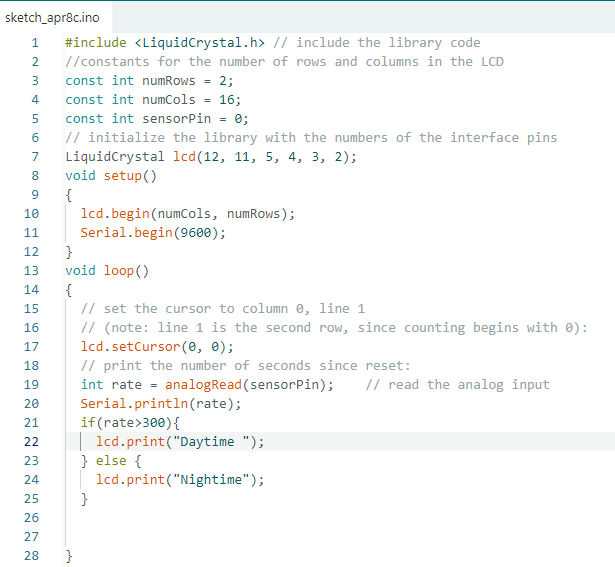
Having gotten this far I think my next step has to be setting up speakers with clips of the bird…
UNTIL NEXT TIME!
All photos and video by Christa Mitchell under CC BY-NC-ND 4.0